Diagrams
Overview
Visual diagrams illustrating the internal architecture and runtime behavior of CAIUMODULE.
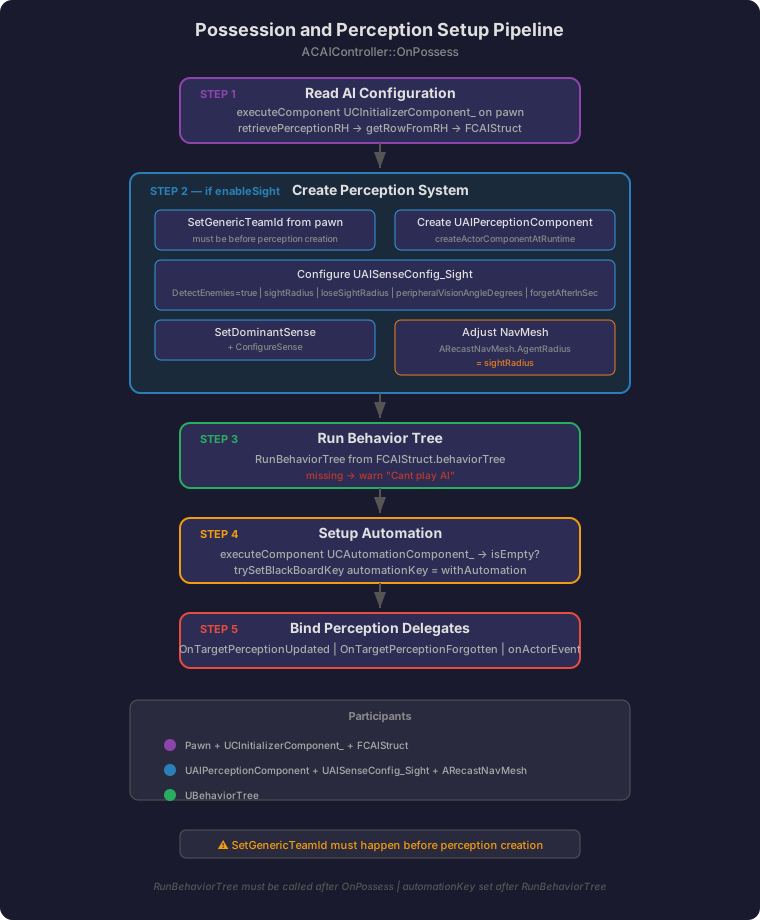
1. Possession and Perception Setup Pipeline
The complete flow when ACAIController possesses a pawn. Five sequential steps: read FCAIStruct config, create the perception system (conditional on enableSight), run the behavior tree, setup automation blackboard key, and bind perception delegates. SetGenericTeamId must happen before perception creation, and RunBehaviorTree must be called after OnPossess.
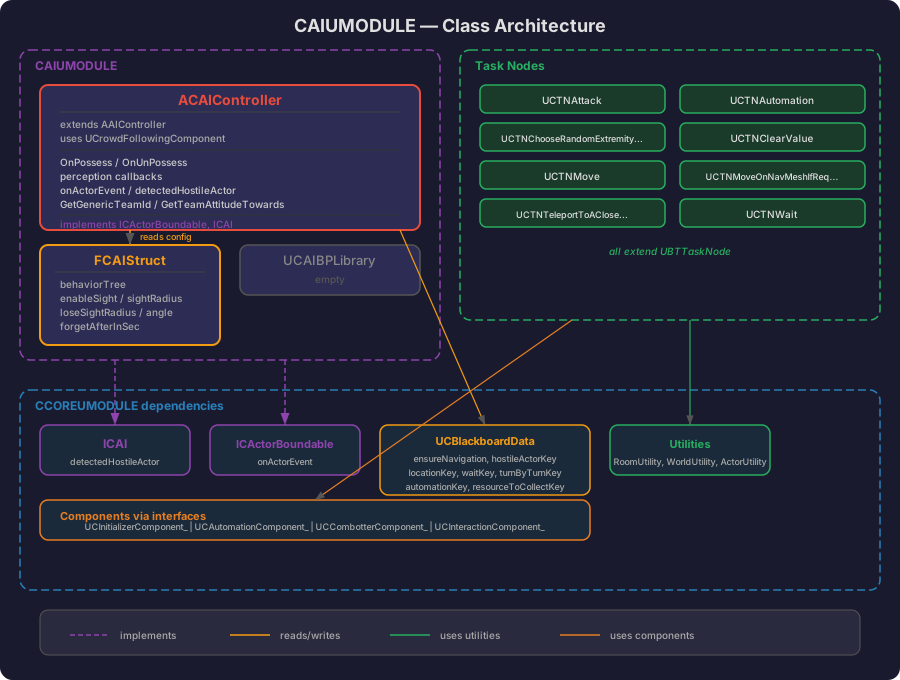
2. Class Architecture
Relationships between classes, interfaces and data structures. ACAIController is the central class implementing two Core interfaces. Task nodes are standalone UBTTaskNode subclasses that interact with the controller and pawn via blackboard keys and Core utilities. Color-coded zones: red for the controller, orange for config data, green for task nodes, blue for Core dependencies.
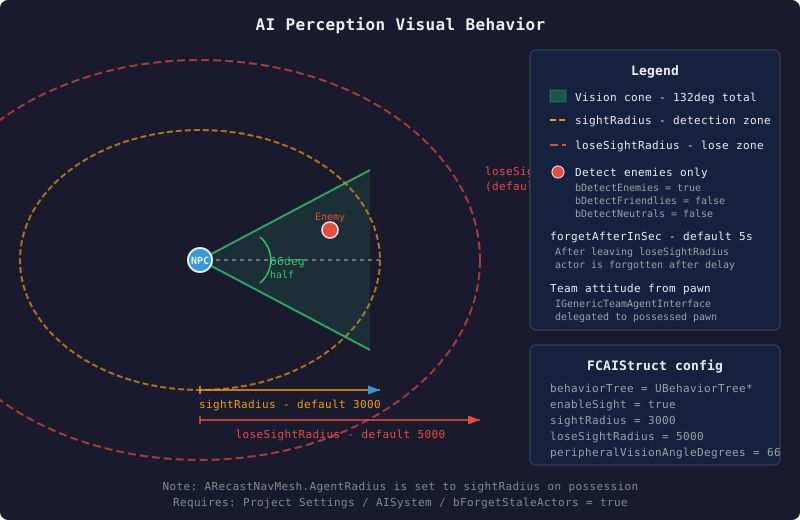
3. Perception Visual Behavior
What the AI perception actually looks like from a spatial perspective. The NPC has a forward-facing vision cone defined by peripheralVisionAngleDegrees and sightRadius. A larger loseSightRadius circle defines where already-detected actors are lost. After leaving loseSightRadius, the actor is forgotten after forgetAfterInSec seconds. Only enemies are detected based on hostile team attitude.
4. Perception and Combat State Flow
How perception callbacks drive the blackboard and fight-state broadcasting. When a hostile actor enters sight, hostileActorKey is set and fightReasonChange is broadcast to ACPlayerController. When the actor is forgotten or deactivated, the key is cleared and the fight reason is turned off.
4a. Hostile Detection
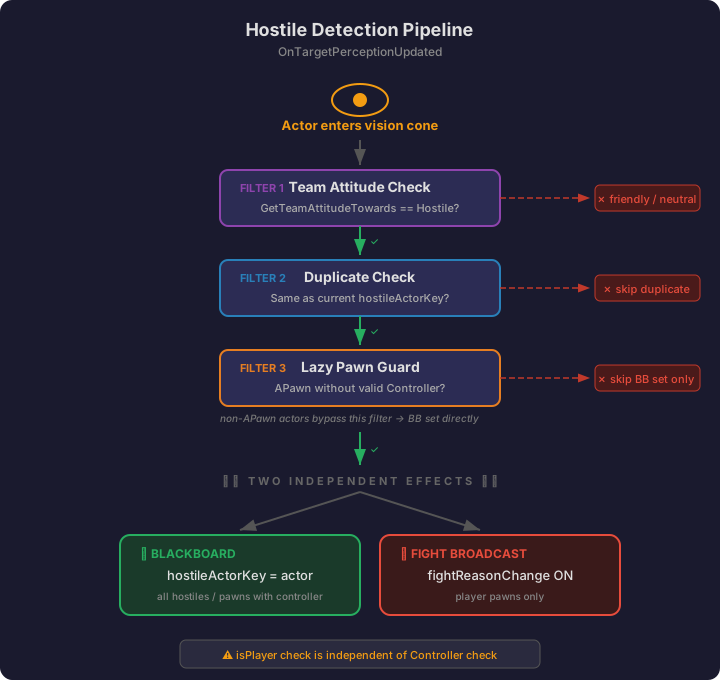
How OnTargetPerceptionUpdated processes a newly detected actor through a filter pipeline. Each filter can reject the actor (red). Actors that pass all filters produce two independent effects: blackboard key assignment and fight reason broadcast. The isPlayer check for the broadcast is independent of the Controller check for the blackboard set.
4b. Actor Forgotten
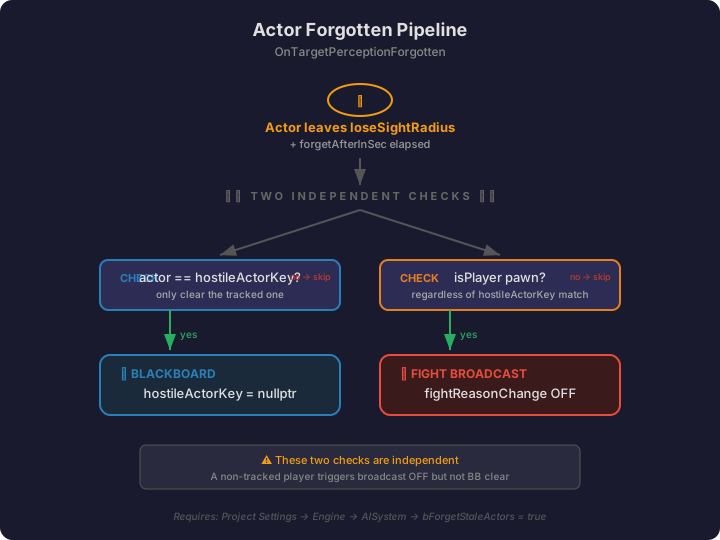
How OnTargetPerceptionForgotten handles a lost actor. Two independent checks run: clearing the blackboard key if this was the tracked hostile, and broadcasting fight reason OFF if the actor is a player. These checks are independent — a non-tracked player still triggers the broadcast.
4c. Actor Deactivated
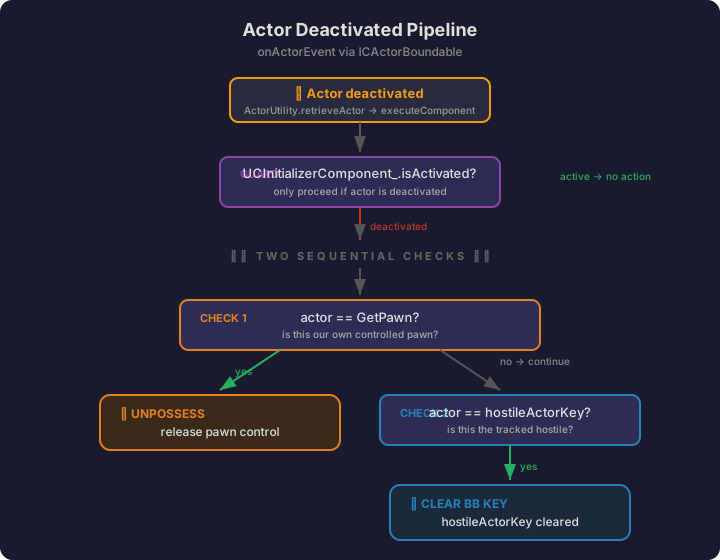
How onActorEvent handles actor deactivation. After the isActivated guard, two sequential checks run: unpossessing if the deactivated actor is the controlled pawn, and clearing the hostileActorKey if it was the tracked hostile.
5. BasicEnemyBT — Behavior Tree Structure
The actual BasicEnemyBT behavior tree used by ACAIController. The root is a Selector that prioritizes navigation recovery, then delegates to priority-ordered branches based on blackboard keys. All decorators use FlowAbortMode=Self. The tree uses UCBlackboardData (BasicEnemyBB) with both framework keys (cdryx*) and project-specific keys (catur*).
5a. Root and Navigation Recovery
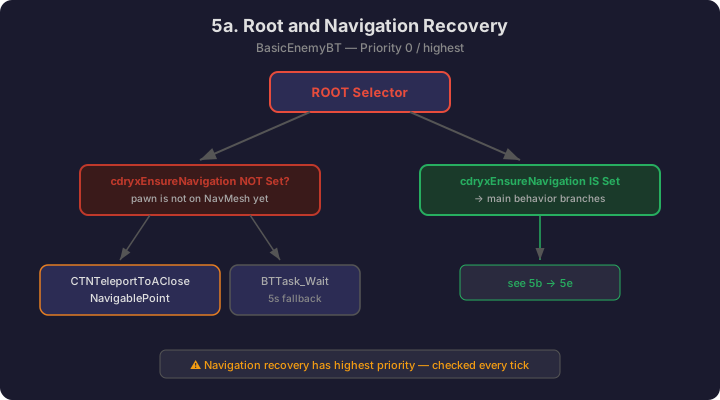
The root Selector first checks if navigation needs to be established. If cdryxEnsureNavigation is NOT set, the pawn teleports to a navigable point. Otherwise, the main behavior branches execute.
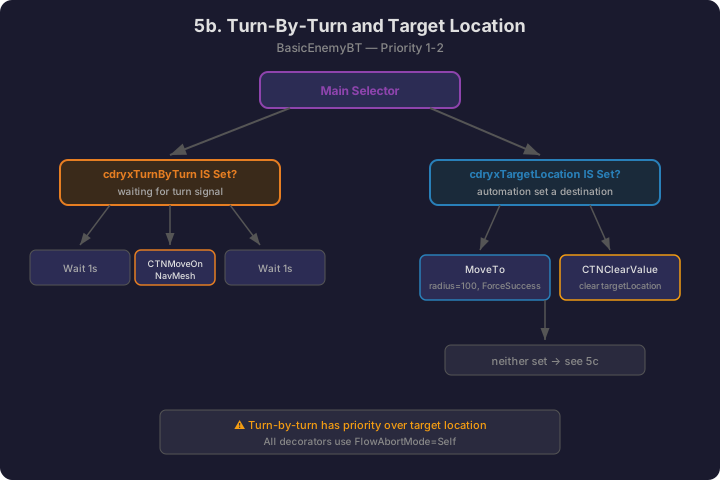
5b. Turn-By-Turn and Target Location
When navigation is established, the tree checks for turn-by-turn mode, then for a pending target location set by automation.
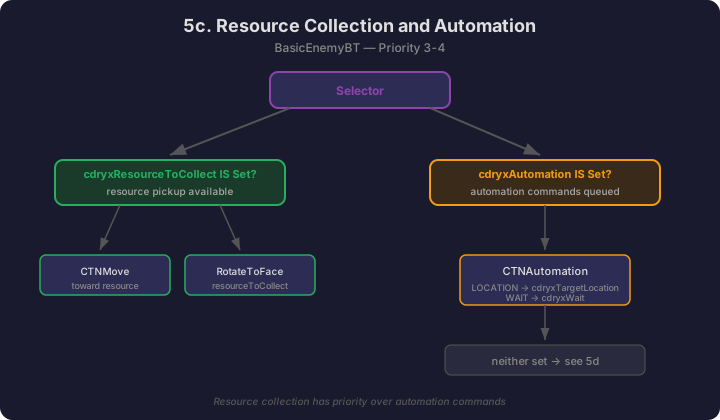
5c. Resource Collection and Automation
If no target location is pending, the tree checks for resource collection, then automation commands.
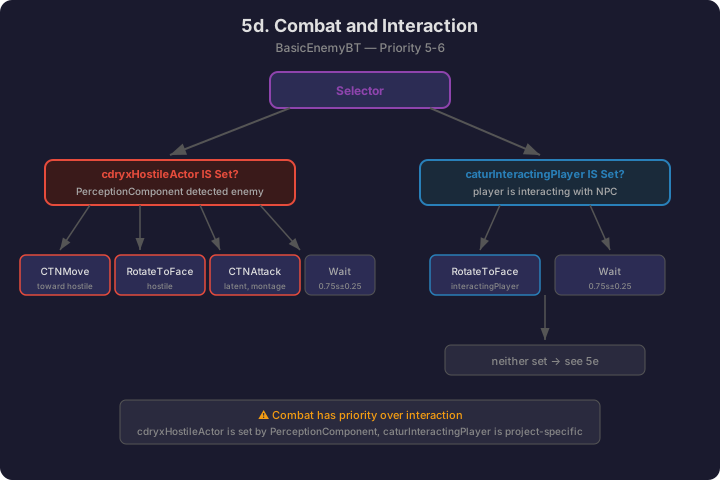
5d. Combat and Interaction
When no automation is active, the tree checks for hostile actors, then for player interaction.
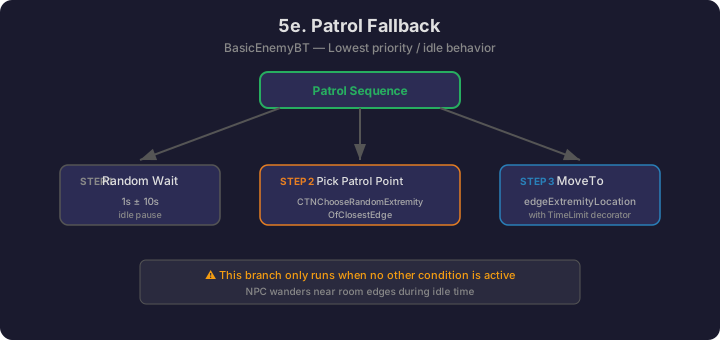
5e. Patrol Fallback
The lowest-priority branch: idle patrol when nothing else is happening. Waits a random duration, picks a point near the closest room edge, then moves there with a time limit.