Diagrams
Overview
Visual diagrams illustrating the internal architecture and runtime behavior of CFOWUMODULE.
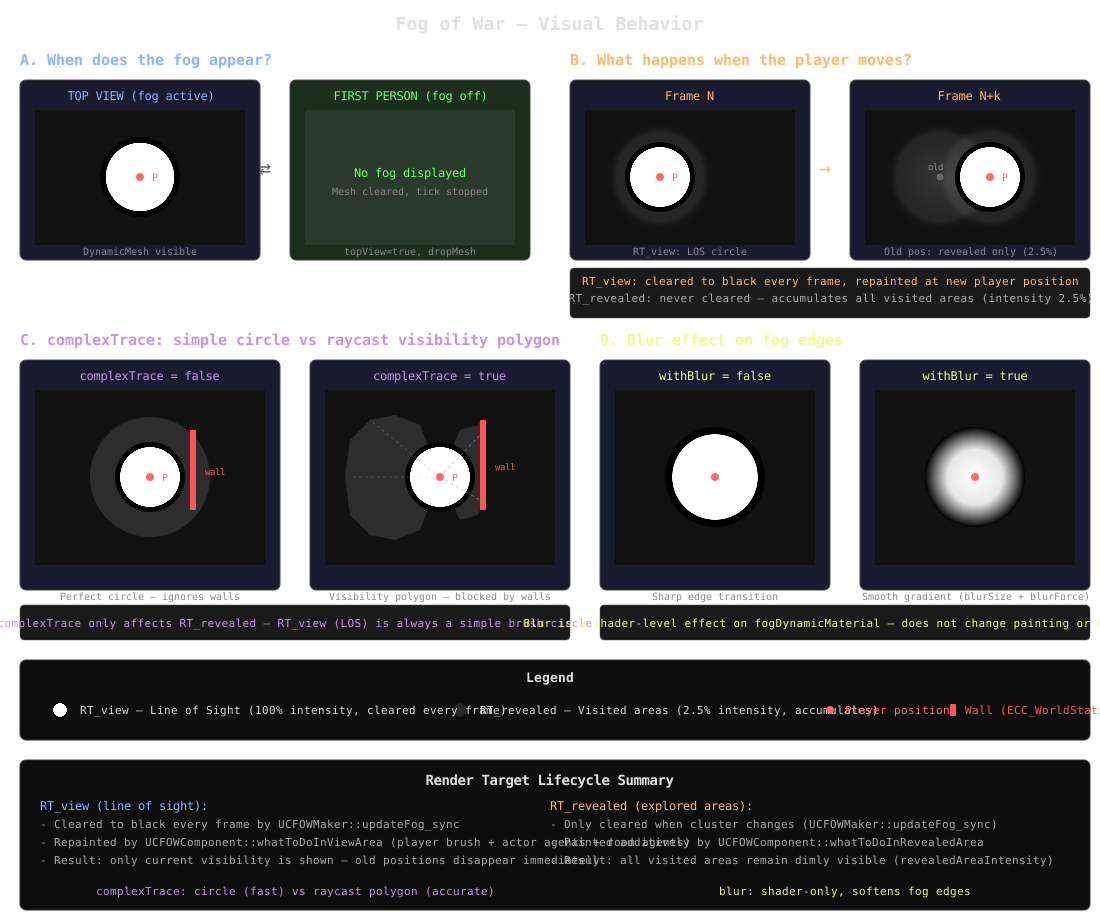
1. Fog of War Visual Behavior
What the fog of war actually looks like from a user perspective, covering five aspects:
- A. When does the fog appear? — Top view (fog active, DynamicMesh visible) vs first person (fog off, mesh cleared, tick stopped).
- B. What happens when the player moves? — RT_view is cleared to black and repainted every frame (LOS follows the player, old position disappears). RT_revealed is never cleared and accumulates all visited areas at low intensity (2.5%).
- C. complexTrace — Without it, the revealed area is a perfect circle that ignores walls. With it, N raycasts (default 90) against
ECC_WorldStaticproduce a visibility polygon clipped by obstacles. Only affects RT_revealed. - D. Blur effect — Shader-level effect on
fogDynamicMaterial. Without blur, the fog edge is sharp. With blur,blurSizeandblurForceproduce a smooth gradient transition. Does not change painting or RT content. - E/F. Legend and RT lifecycle summary.
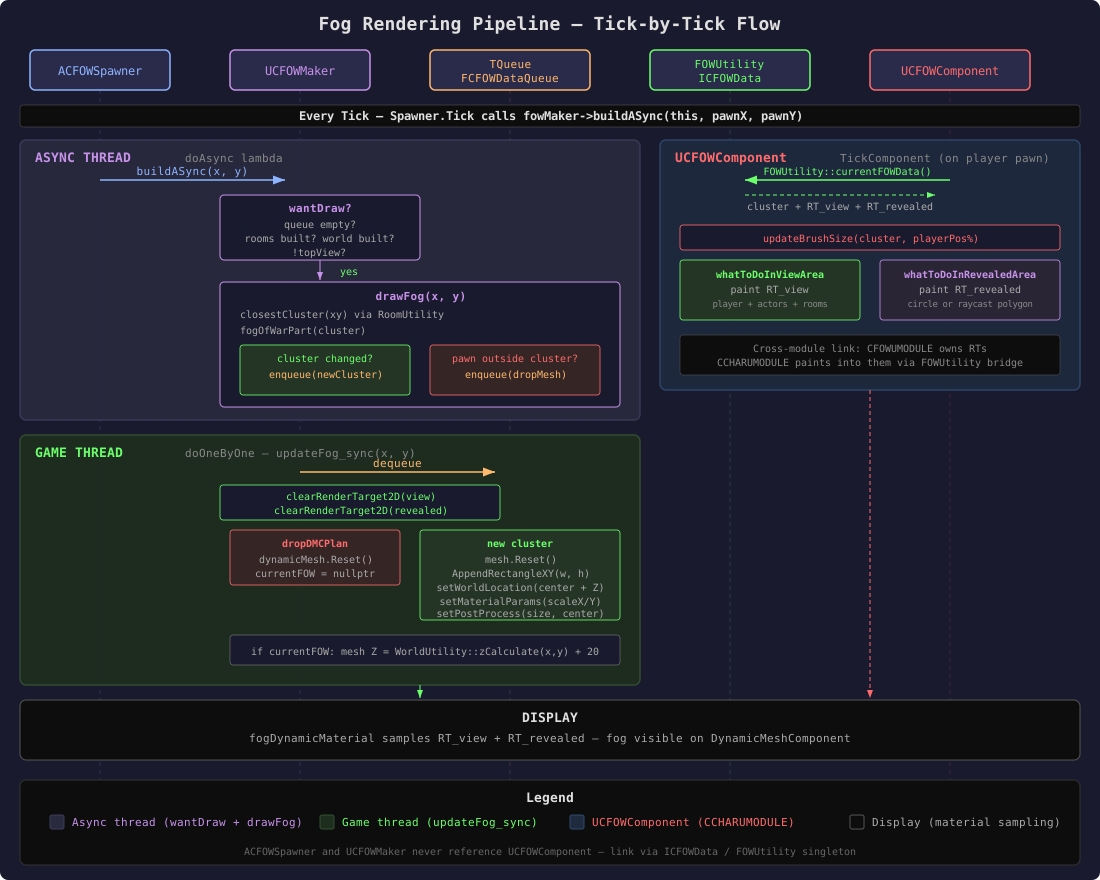
2. Fog Rendering Pipeline
The complete tick-by-tick flow showing how ACFOWSpawner, UCFOWMaker and UCFOWComponent (CCHARUMODULE) collaborate. The Maker owns and clears the render targets, the Component paints into them, and the fog material reads them for display. The cross-module link goes through the FOWUtility singleton (ICFOWData).
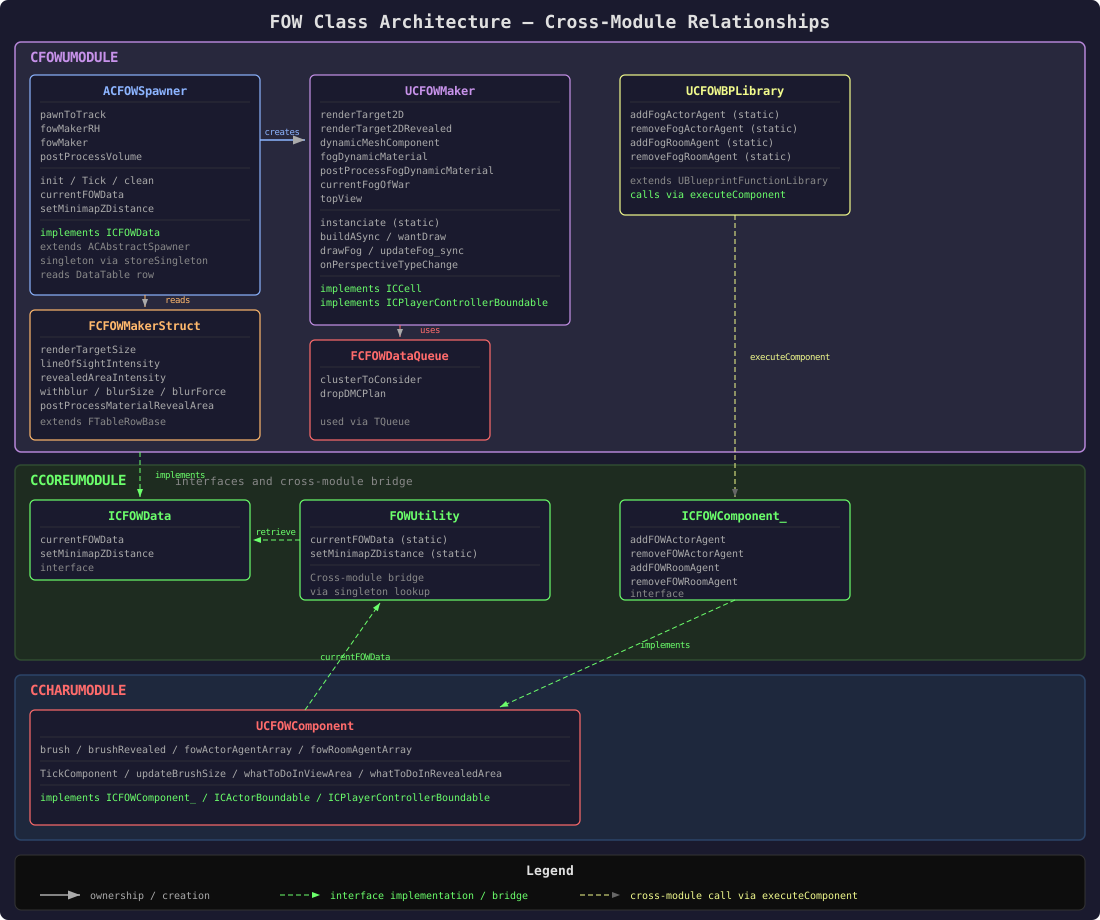
3. Class Architecture
Relationships between classes, interfaces and components across modules. UCFOWMaker (CFOWUMODULE) owns the render targets and mesh. UCFOWComponent (CCHARUMODULE) paints into those render targets. The two never reference each other directly — the link goes through the ICFOWData interface on the ACFOWSpawner singleton.
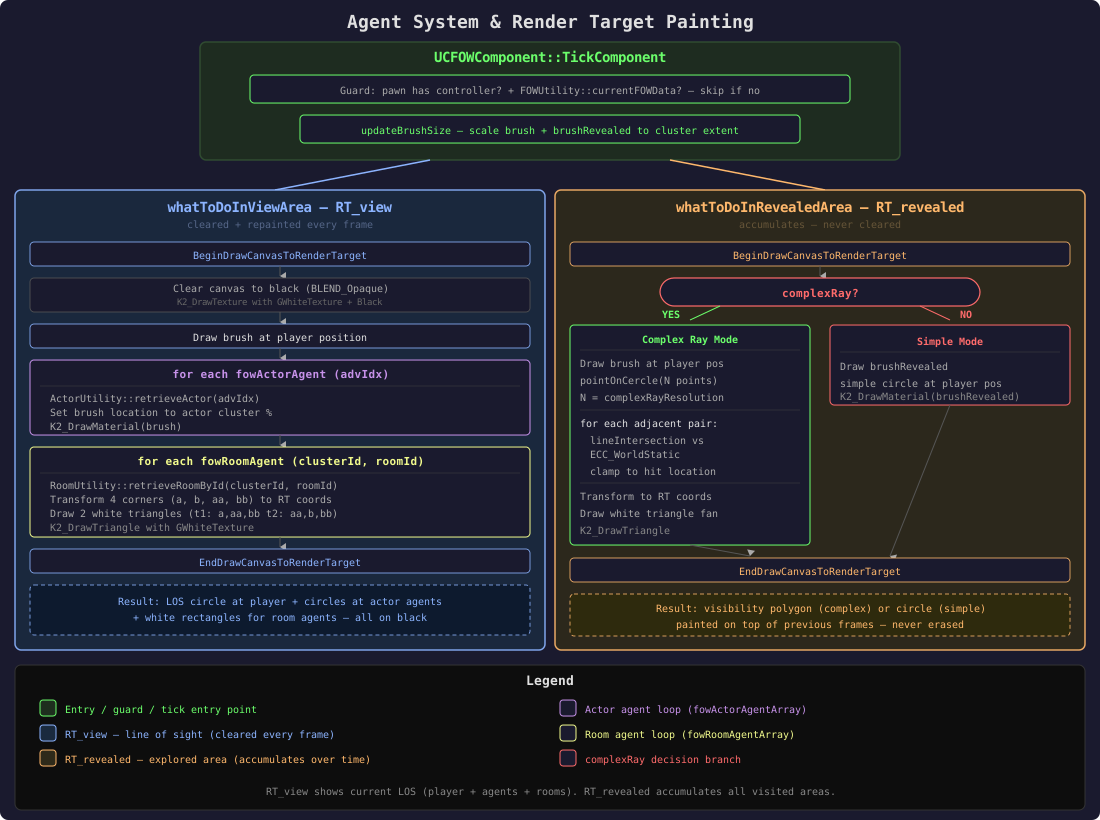
4. Agent System & Render Target Painting
How UCFOWComponent paints into the two render targets each tick. The view RT is fully cleared and repainted every frame (player brush + actor agents + room agents). The revealed RT accumulates over time — in complex ray mode it uses raycasts against ECC_WorldStatic to produce a visibility polygon; otherwise it paints a simple circular brush.
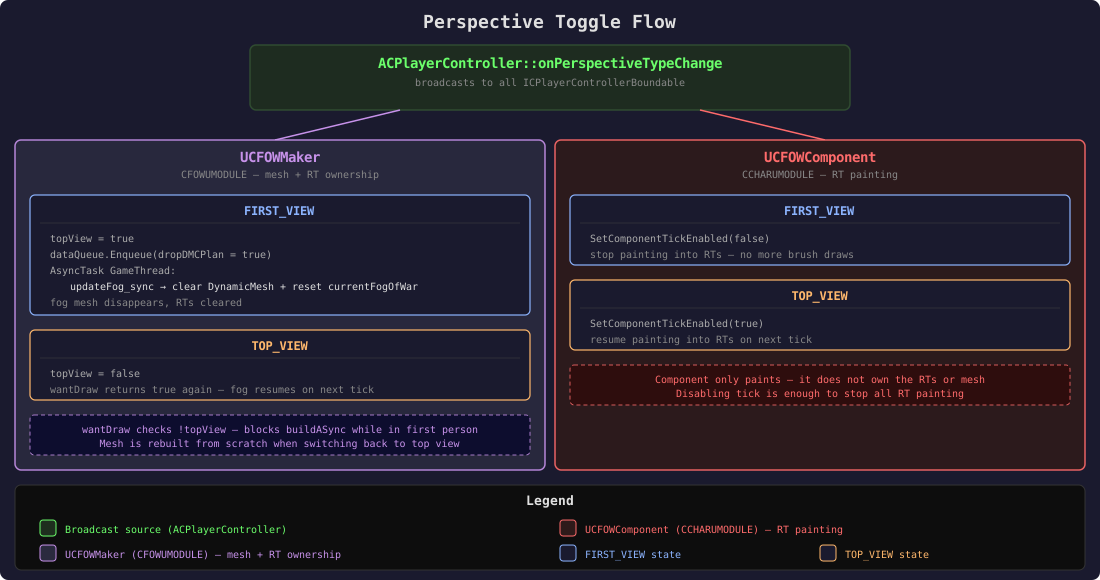
5. Perspective Toggle Flow
How camera perspective changes affect both UCFOWMaker and UCFOWComponent. Both listen to ACPlayerController via ICPlayerControllerBoundable. In first-person view the fog is disabled entirely (mesh cleared, painting stopped). Switching back to top view resumes both systems on the next tick.
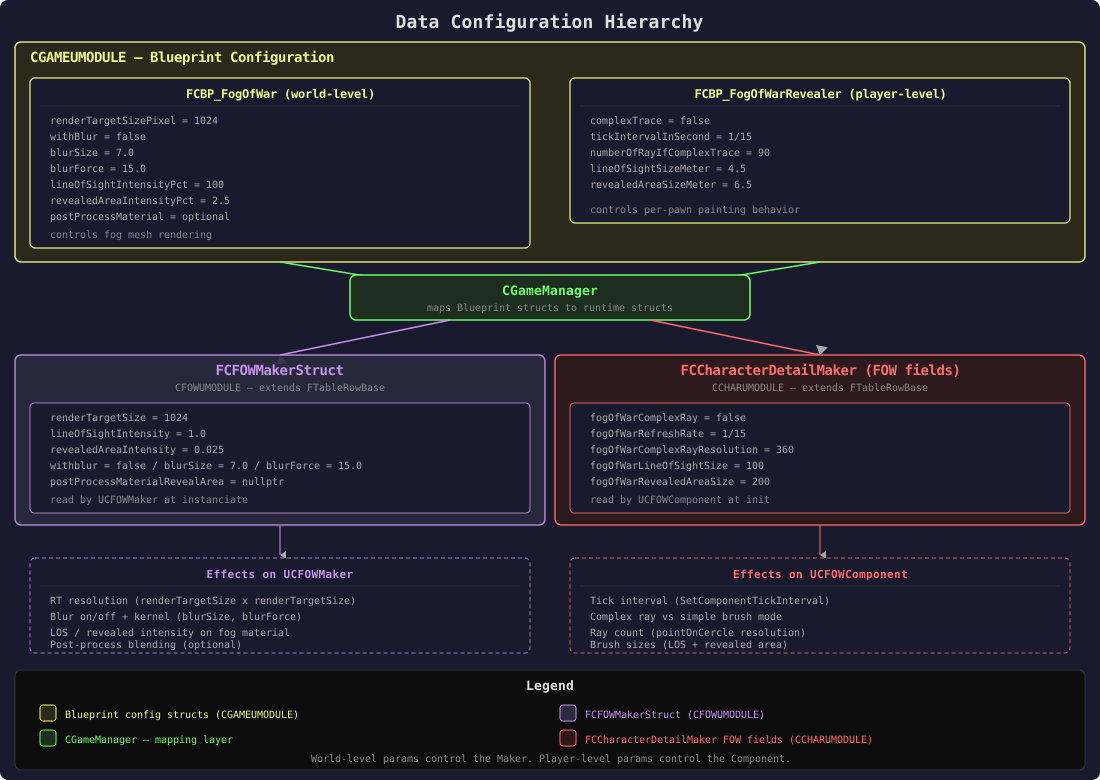
6. Data Configuration Hierarchy
Fog of war parameters come from two Blueprint structs in CGAMEUMODULE, mapped by CGameManager at initialization. World-level parameters control the fog mesh rendering (render target resolution, blur, intensities, post-process). Player-level parameters control the per-pawn painting behavior (refresh rate, brush sizes, raycast mode).