Diagrams
Overview
Visual diagrams illustrating the internal architecture and runtime behavior of CCHARUMODULE.
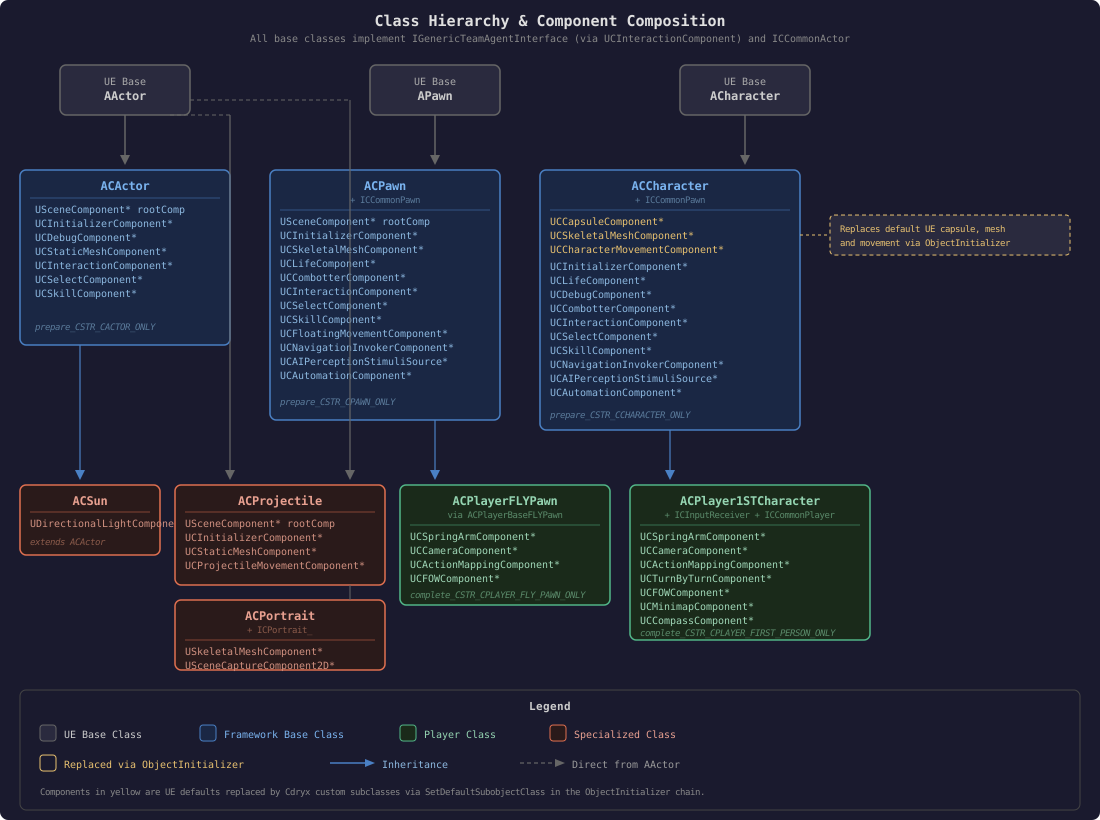
1. Class Hierarchy & Component Composition
Base class inheritance tree showing which components each level adds. All base classes implement IGenericTeamAgentInterface (via UCInteractionComponent) and ICCommonActor.
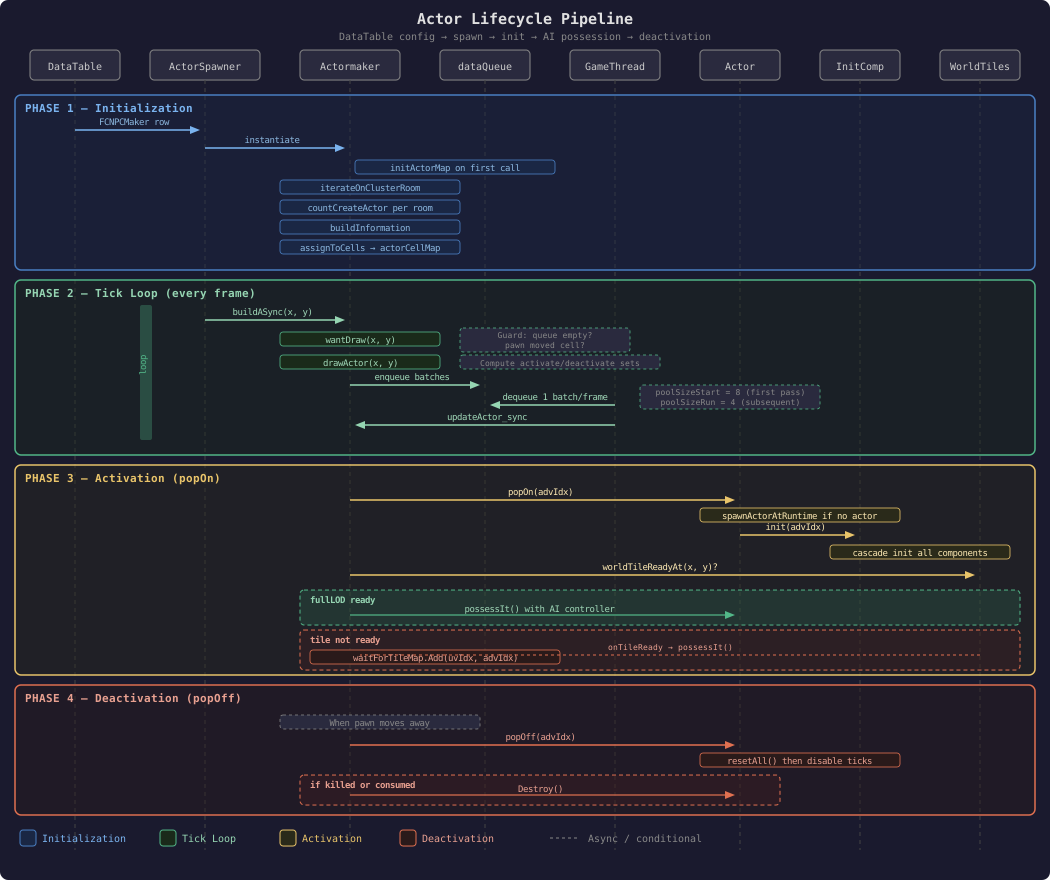
2. Actor Lifecycle Pipeline
Full sequence from DataTable configuration to runtime actor management: spawn, initialization, AI possession, and deactivation.
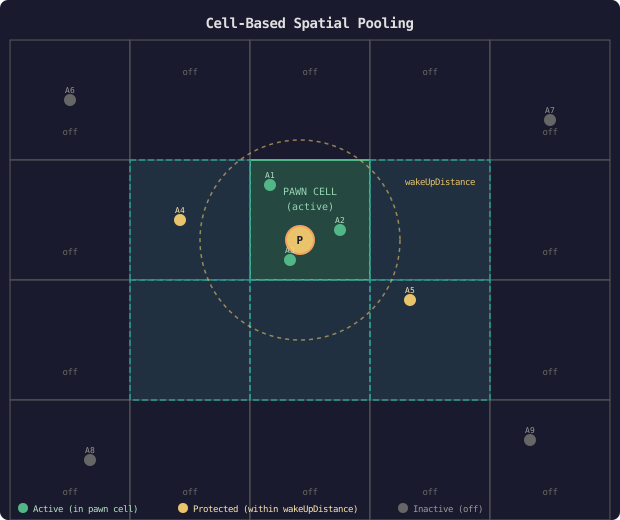
3. Cell-Based Spatial Pooling (Lazy Loading)
How UCActormaker manages actor activation/deactivation based on pawn proximity using a cell grid, wakeUpDistance protection, and batched pooling.
3a. Spatial Grid
Actors are pre-assigned to cells via CellUtility::assignToCells using their spawn position and wakeUpDistance. When the pawn enters a cell, all actors assigned to that cell become activation candidates.
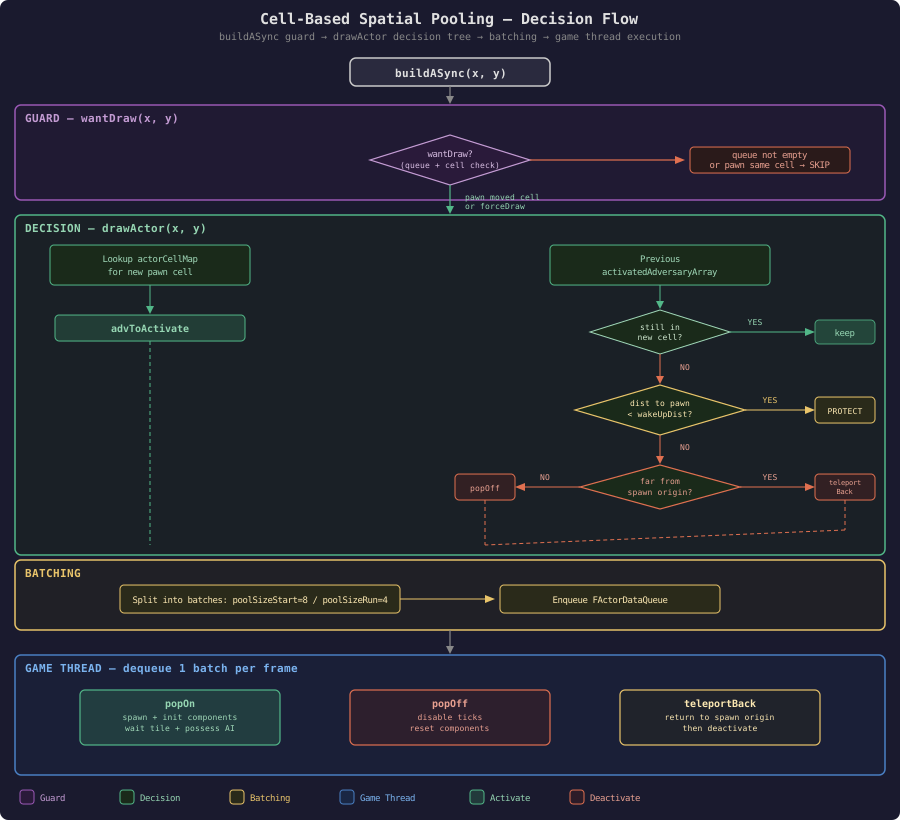
3b. Decision Flow
How buildASync decides whether to redraw actors based on pawn movement, then computes activation/deactivation sets with wakeUpDistance protection and batched pooling.
3c. Configuration Parameters
| Parameter | Default | Description |
|---|---|---|
cellSize |
20000 | Size of each spatial cell in world units |
wakeUpDistance |
10000 | Distance from pawn within which actors are protected from despawn |
poolSizeStart |
8 | Batch size for the first spawn pass |
poolSizeRun |
4 | Batch size for subsequent spawn/despawn passes |
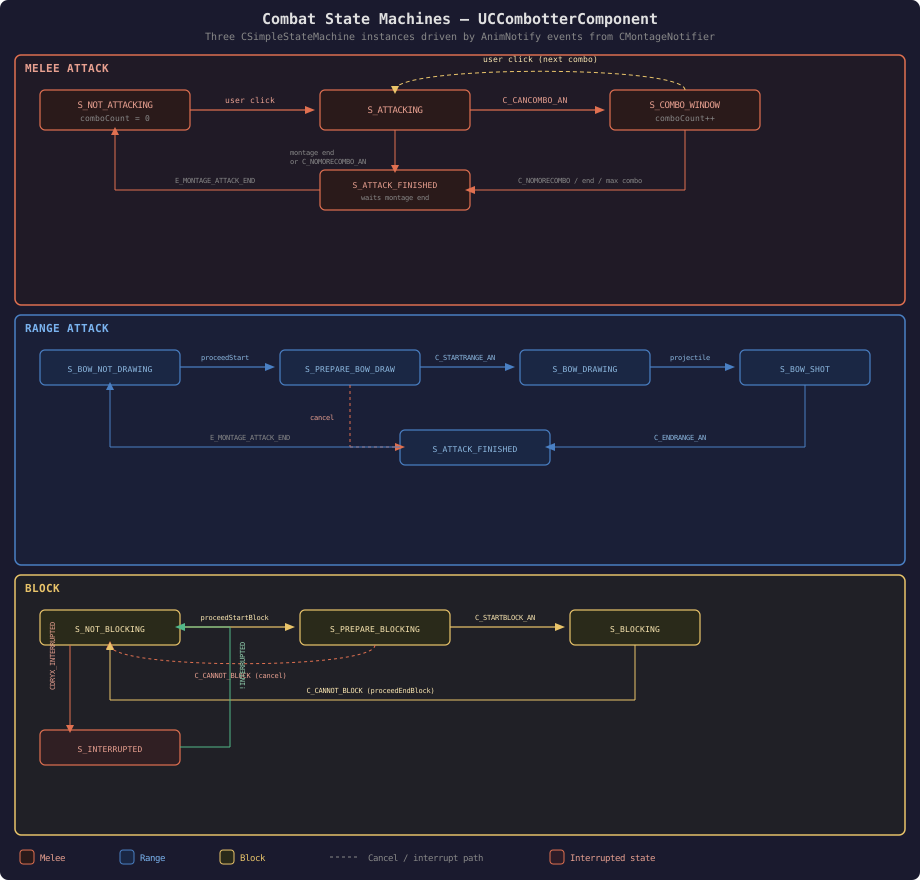
4. Combat State Machines
The three CSimpleStateMachine instances inside UCCombotterComponent, driven by AnimNotify events from CMontageNotifier.
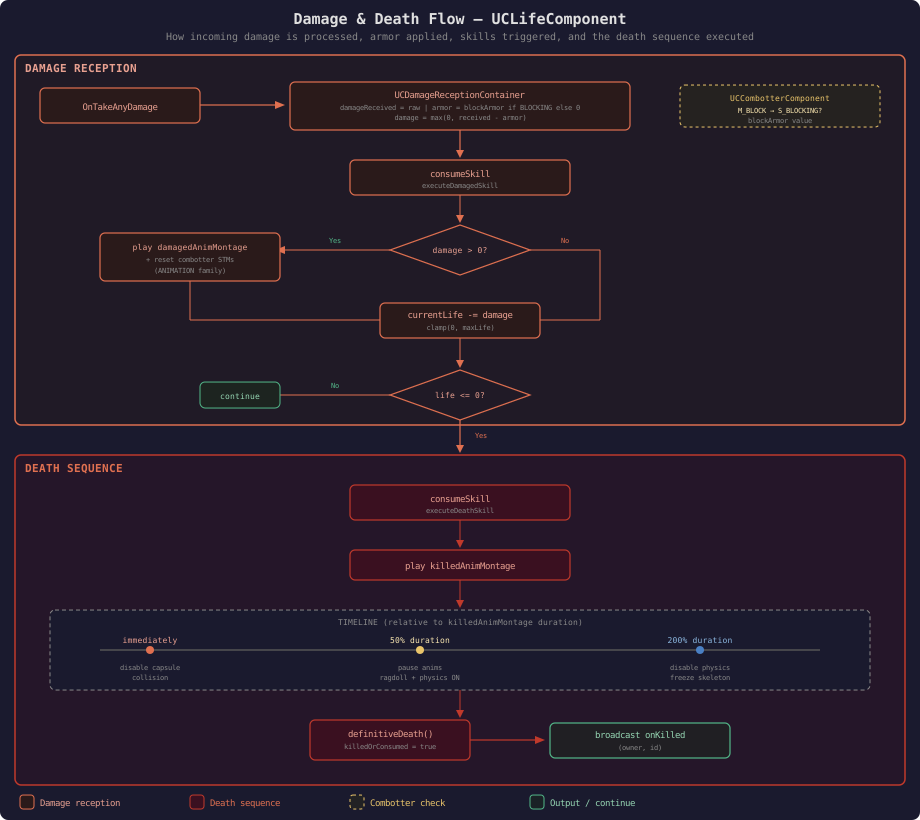
5. Damage & Death Flow
How UCLifeComponent processes incoming damage, applies armor, triggers skills and animations, and handles the death sequence.
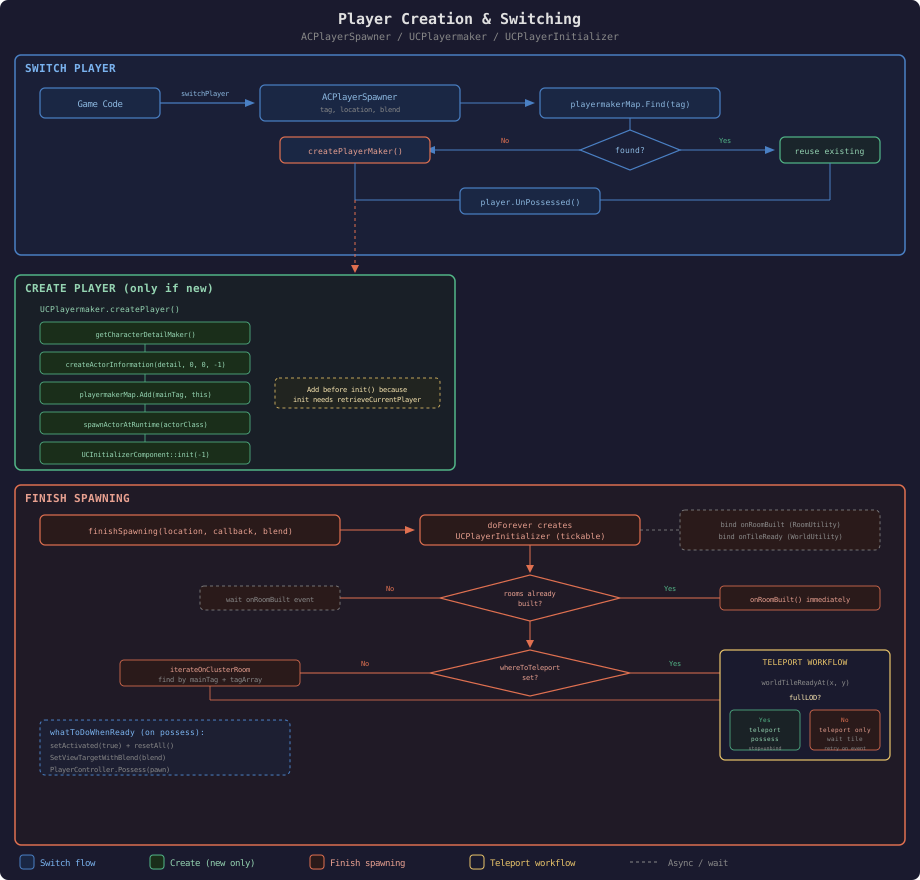
6. Player Creation & Switching
How ACPlayerSpawner creates players via UCPlayermaker and handles player switching with teleportation and possession.
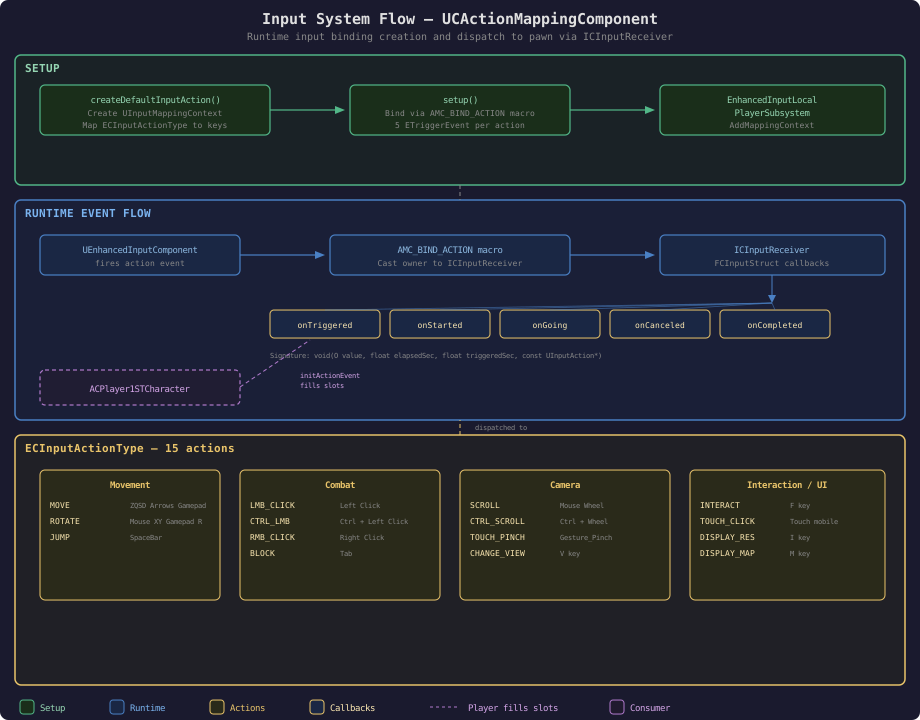
7. Input System Flow
How UCActionMappingComponent creates input bindings at runtime and dispatches events to the pawn via ICInputReceiver.
8. Fight Mode State Flow
How ACPlayer1STCharacter transitions between normal and fight mode, and how AddControllerYawInput handles turn-in-place with montage animations.
8a. Fight Mode Transition
How the player character toggles between normal mode and fight mode, updating rotation settings and broadcasting the fight state to turnByTurnComponent.

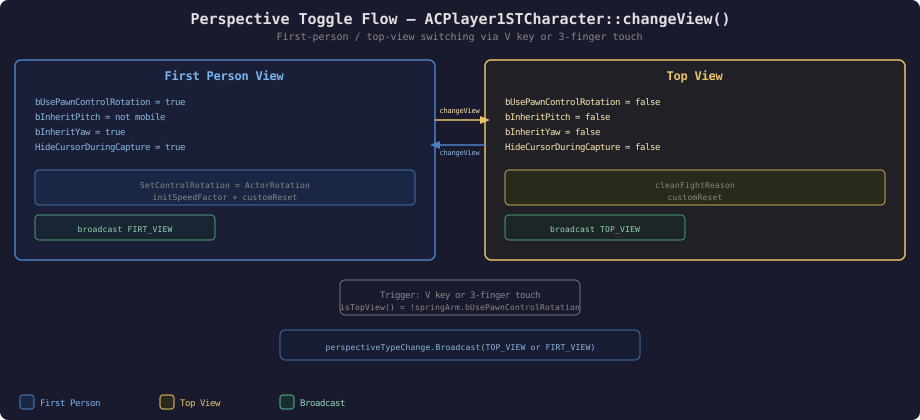
9. Perspective Toggle Flow
How ACPlayer1STCharacter::changeView() switches between first-person and top-view camera modes, triggered by key press (V) or 3-finger touch on mobile.
10. Input System — UCActionMappingComponent to ICInputReceiver to ACPlayer1STCharacter
How the Enhanced Input system routes physical key events through UCActionMappingComponent, the ICInputReceiver interface slots, and into ACPlayer1STCharacter::initActionEvent() game logic.
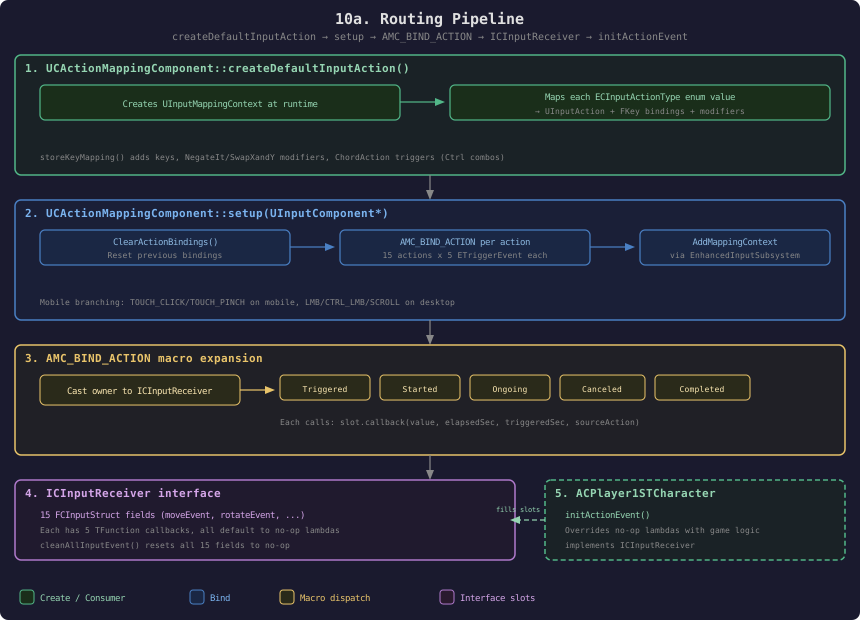
10a. Routing Pipeline
How createDefaultInputAction maps physical keys to UInputAction, setup binds them via the AMC_BIND_ACTION macro, and the macro dispatches to ICInputReceiver slots that initActionEvent fills with game logic.
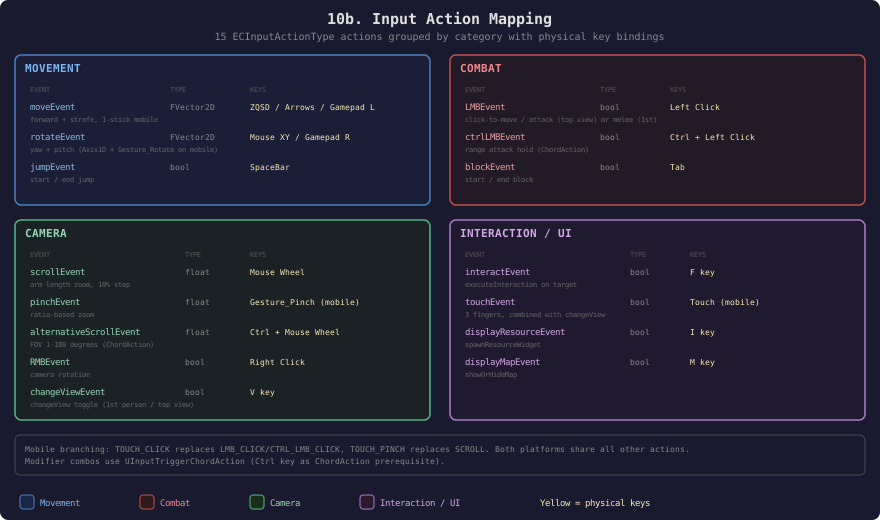
10b. Input Action Mapping
The 15 input actions grouped by category (Movement, Combat, Camera, UI) with their physical key bindings and behavior descriptions.
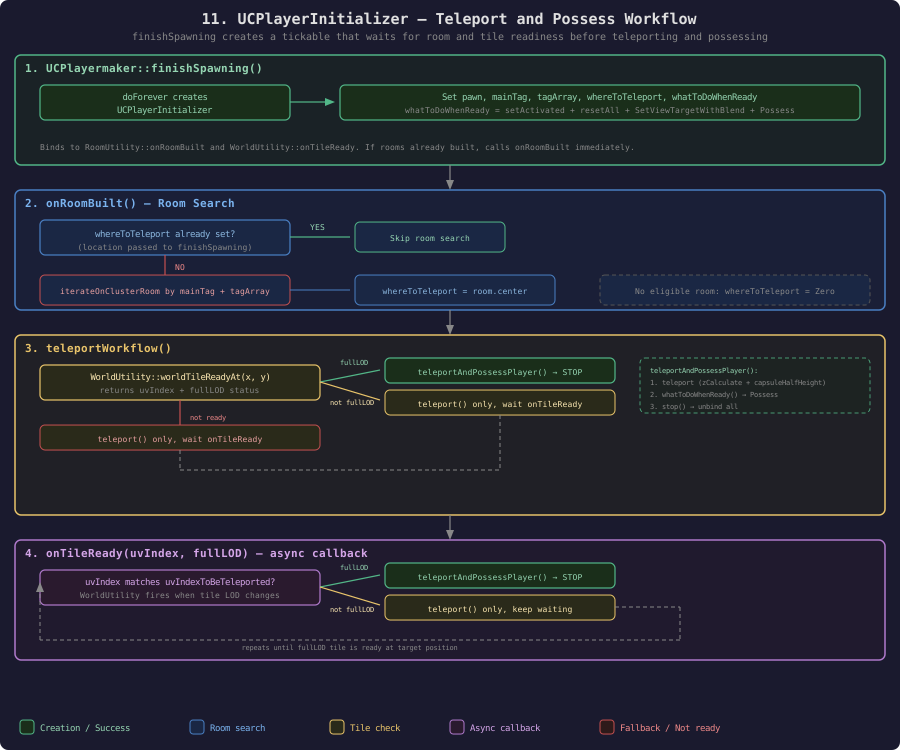
11. UCPlayerInitializer Teleport and Possess Workflow
How UCPlayermaker::finishSpawning() creates a UCPlayerInitializer tickable that waits for room and tile readiness before teleporting and possessing the player pawn.